 TrackProof
01
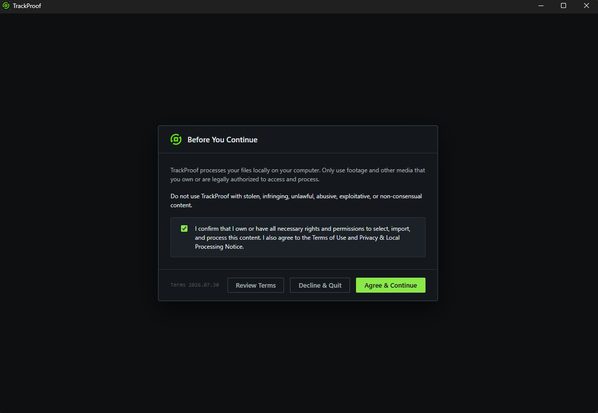
Confirm local processing.
The first screen states plainly that files are processed on your computer, and asks you to confirm you have the rights to the footage you import.
TRACKPROOF DOWNLOADS
Download links are available in your portal after your early access request is approved. Sign in to your account to access the latest Windows installer.Under 5 MB installer · opens in seconds.
MANAGED FROM YOUR ACCOUNT
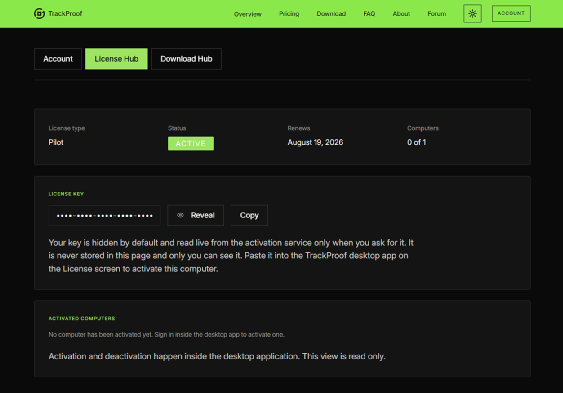
Sign in and your latest installer, license, and guides are all in one place. Enter your key once inside the app; it works offline for up to 24 hours between checks. Reveal your key anytime, shown only to you, and free a seat with one click when you switch machines.
WHY IT FITS
TrackProof works alongside the tracking and compositing applications artists already use. It helps supervisors and artists review plate trackability before committing additional matchmove time.
TrackProof processes footage and tracking data on your computer. Production footage is not uploaded to a TrackProof cloud service.
AFTER YOU INSTALL
TrackProof installs as a normal Windows desktop application. On first launch it asks you to confirm the local processing terms, then opens an empty workspace. Your license key is entered once, inside the application.
01
The first screen states plainly that files are processed on your computer, and asks you to confirm you have the rights to the footage you import.
02
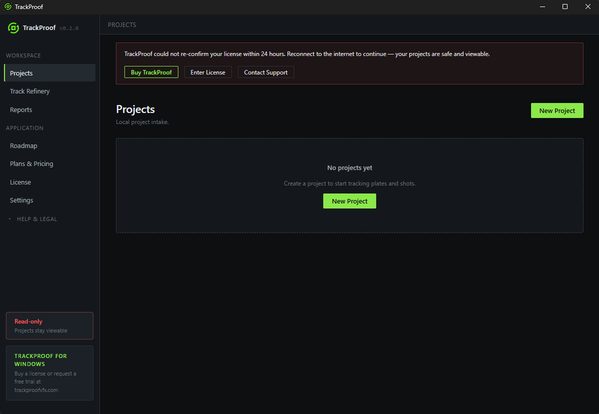
The workspace opens empty. A project points at a folder on your workstation · plates and tracking data are read from disk, never uploaded.
03
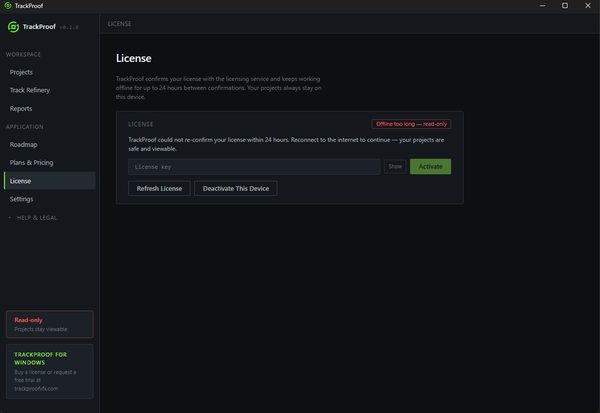
The License page holds your key, confirms it with the licensing service and keeps working offline for up to 24 hours between confirmations. You can deactivate a computer here to free the seat.
04
Settings reports the exact version, analyzer build, operating system and signing state, plus the acceleration mode. Results are identical in either acceleration mode · only speed changes.
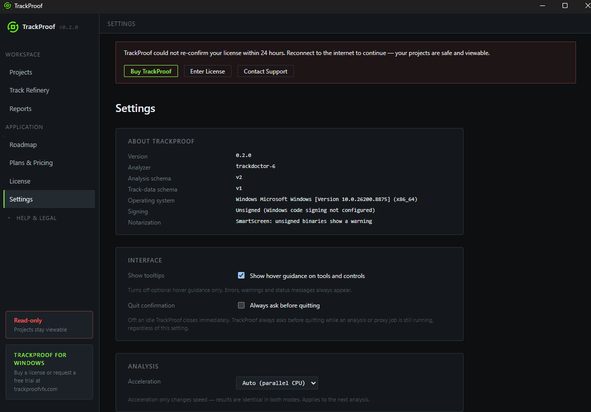
Screens are from the current Windows build. TrackProof is not code signed yet, so Windows SmartScreen shows a warning on first launch · the Settings page states this openly.
Installer links are issued through your account portal only. Production footage remains on your workstation.