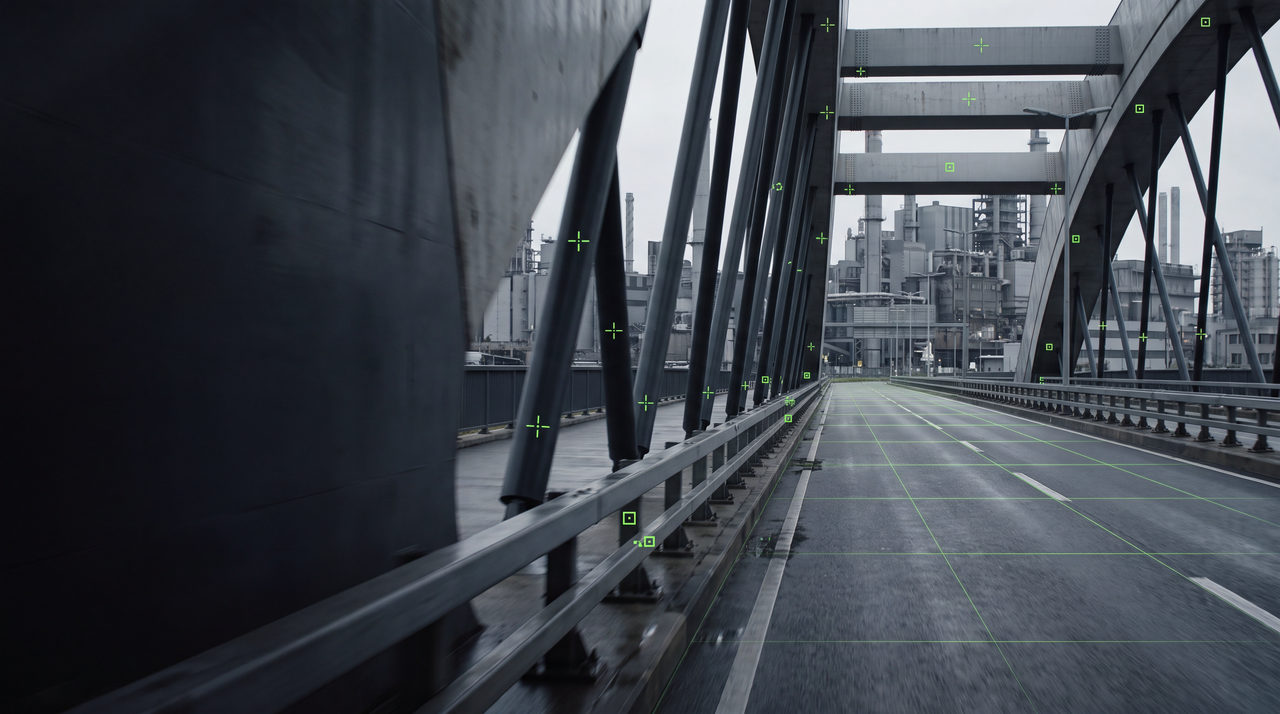
Industrial bridge plate with green tracking markers and a solved ground grid

Product · Windows desktop application

Diagnose the solve. Explain the result.

TrackProof runs as a Windows desktop application designed for professional camera tracking, matchmove review, and production workflows. It is one review surface with several passes, each answering a different production question: is this solve sound, is it presentable, and can it move forward now.

01

Track Doctor

A diagnostic pass that looks at the solve rather than the render. It isolates the frames and features responsible for a failing solution.

Drift and slip detection
Flags features that stop describing the same surface and the ranges where it begins.
Frame-range isolation
Reports where the solution degrades instead of grading the shot as a single number.
Feature quality
Separates unstable or low-confidence points from those carrying the solve.

02

Supervisor Report

A review document rather than a debug log. Written for the person approving the shot, not the person fixing it.

Pass, fail, review
A plain statement of solve condition with the evidence behind it.
Production risk
What happens downstream if the shot ships in its current state.
Handoff notes
The specific items to return to the artist, in order of impact.

03

Fast Track

An accelerated pass for stages where a full manual solve is not warranted.

Previs and layout
Fast camera approximation for blocking and early staging.
Shot triage
Sort a sequence by likely difficulty before assigning work.
Stated limits
Fast Track results are labeled as approximate and are not presented as final-precision solves.

04

Quality metrics

Metrics are reported with their meaning attached. A number without a production consequence is not useful in review.

Solve stability

How consistently the solution holds across the frame range.

Residual behavior

Where error concentrates rather than an average across the shot.

Feature coverage

Whether the tracked set actually describes the moving geometry.

05

Artist correction workflow

Findings return to the artist as work, not as a verdict.

  1. 01

    Receive findings

    The report arrives as an ordered list of frames and features to address.

  2. 02

    Correct in place

    Work continues in the artist's existing tools; TrackProof does not replace the solver.

  3. 03

    Re-validate

    Run the pass again and compare against the previous state.

06

Production exports

Output is intended to enter an existing pipeline rather than lock work inside a new one.

Report export
The Supervisor Report as a shareable review document.
Findings export
Structured findings for tracking and assignment.
Pipeline intent
Export targets are being developed against real pipeline requirements from invited studios.

Apply for early access.

Invited professionals review builds before wider release.

Apply for early access